Docs / MIDI
Send MIDI from Live Mode
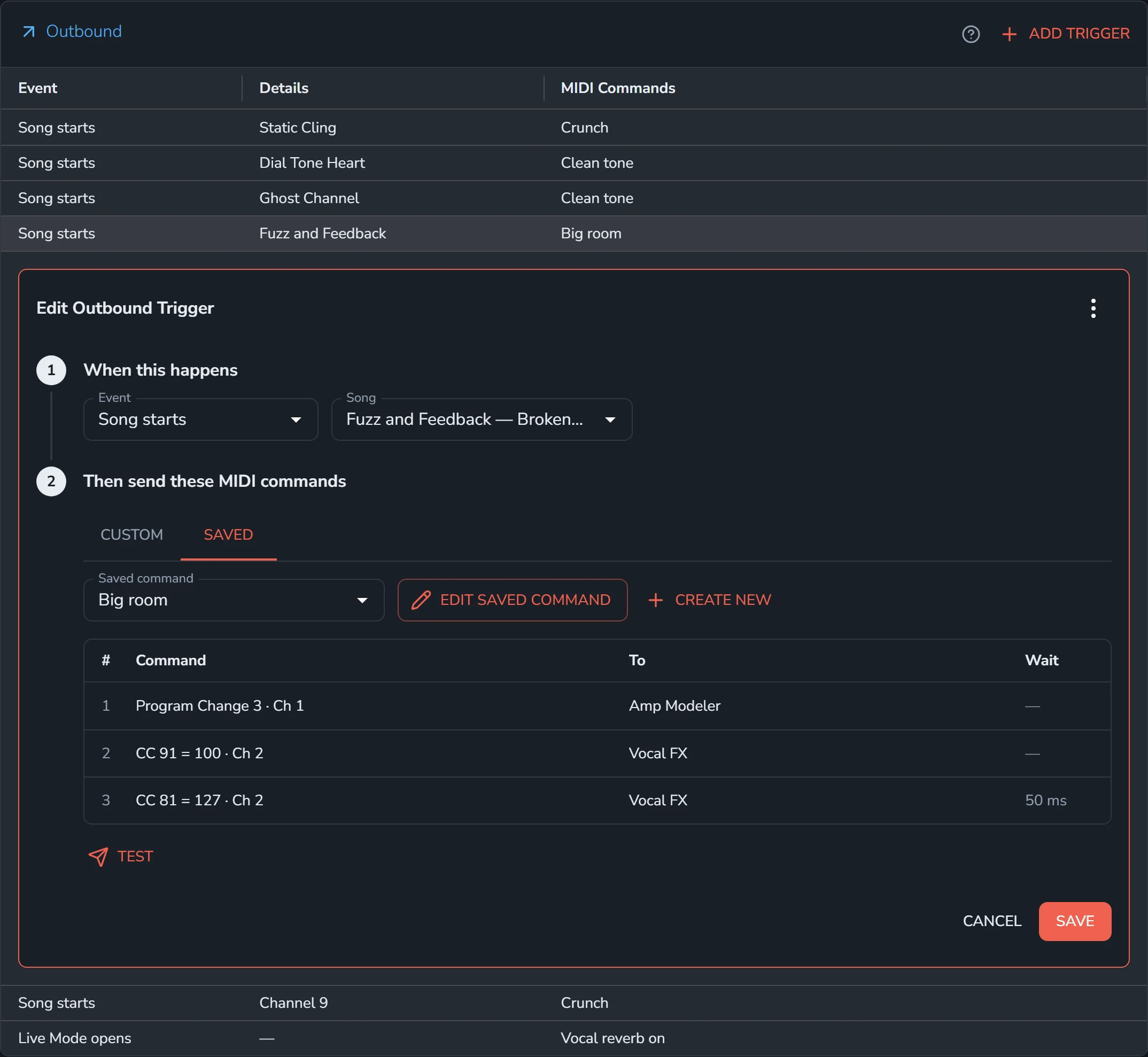
An outbound trigger sends MIDI commands when something happens in Live Mode, most often a song starting. Your rig can change to each song's sounds as you move through the set.
MIDI needs Backstage.
Requires Backstage
Add an outbound trigger
- On the MIDI page, open the Triggers tab.
- Select Add Trigger in the Outbound card.
- Under When this happens, choose the Event. For Song starts, also choose the Song.
- Under Then send these MIDI commands, select Edit Custom Command and build the list, or pick a saved command on the Saved tab. See MIDI commands.
- Select Add.
Events
| Event | When it sends |
|---|---|
| Song starts | The song you chose starts in Live Mode. |
| Live Mode opens | Live Mode opens, on a song or a set. |
| Autoscroll starts | Autoscroll starts in Live Mode. |
| Autoscroll stops | Autoscroll stops in Live Mode. |
Outbound triggers only send from Live Mode.
A Song starts trigger sends in every set the song is in. A song can have several, and each one sends.
When a song starts
- Live Mode opens at the start of the set, before the first song. Move forward and the first song starts.
- Every song but the last ends at a pause marked Advance to next song. Move forward past it and the next song starts.
- Picking a song starts it. Go to Next Song, Go to Previous Song, Go to Song by Number and Go to Start of Song all start the song they go to. See Control Songstead with MIDI.
- Moving back never starts a song.
Edit or delete a trigger
Select a row in the Outbound table to open the trigger under it, change what you need, and select Save.
To delete a trigger, open it, select the menu (the three dots) at the top of its card, then Delete and Yes, Delete.
MIDI clock
To keep tempo-synced gear in time with each song, turn on Send Clock on the Setup tab. See MIDI devices and settings.