
Docs / MIDI
MIDI
MIDI is how keyboards, footswitches, effects and other music gear talk to each other, and Songstead can join the conversation. Your gear can control Songstead, and Songstead can control your gear, so your charts and your rig move through a set together.
MIDI needs Backstage.
Requires Backstage
What Songstead can do with MIDI
- Listen to your devices. A footswitch, keyboard or any other MIDI device can step through Live Mode, jump between songs, start autoscroll, change the key, and more. See Control Songstead with MIDI.
- Send to your devices. Each song can send its own patch changes the moment it starts in Live Mode. See Send MIDI from Live Mode.
- Keep your rig in time. Songstead can send MIDI clock at each song's tempo in Live Mode. See MIDI devices and settings.
- Give you a remote. You can build pages of buttons, toggles and faders that send whatever you set them to. See MIDI Remote.
- Show you what's happening. The Monitor lists every message in and out, and what Songstead did about each one. See MIDI Monitor.
A connected AI assistant can set up remotes, triggers and saved commands for you, too. See Connect an AI assistant.
What you need
- A MIDI device, connected over USB, Bluetooth, a MIDI interface or a network.
- Songstead on a device that can reach MIDI. That's the Songstead app on iPhone, iPad or Android, or Chrome, Edge or Firefox on a computer.
See MIDI compatibility for how each kind of connection and device compares.
Turn MIDI on
- Select MIDI in the menu.
- On the Setup tab, turn on MIDI in the Settings card.
- If you're asked whether Songstead can use your MIDI devices, allow it.
Your devices then show up under Devices on the same tab.
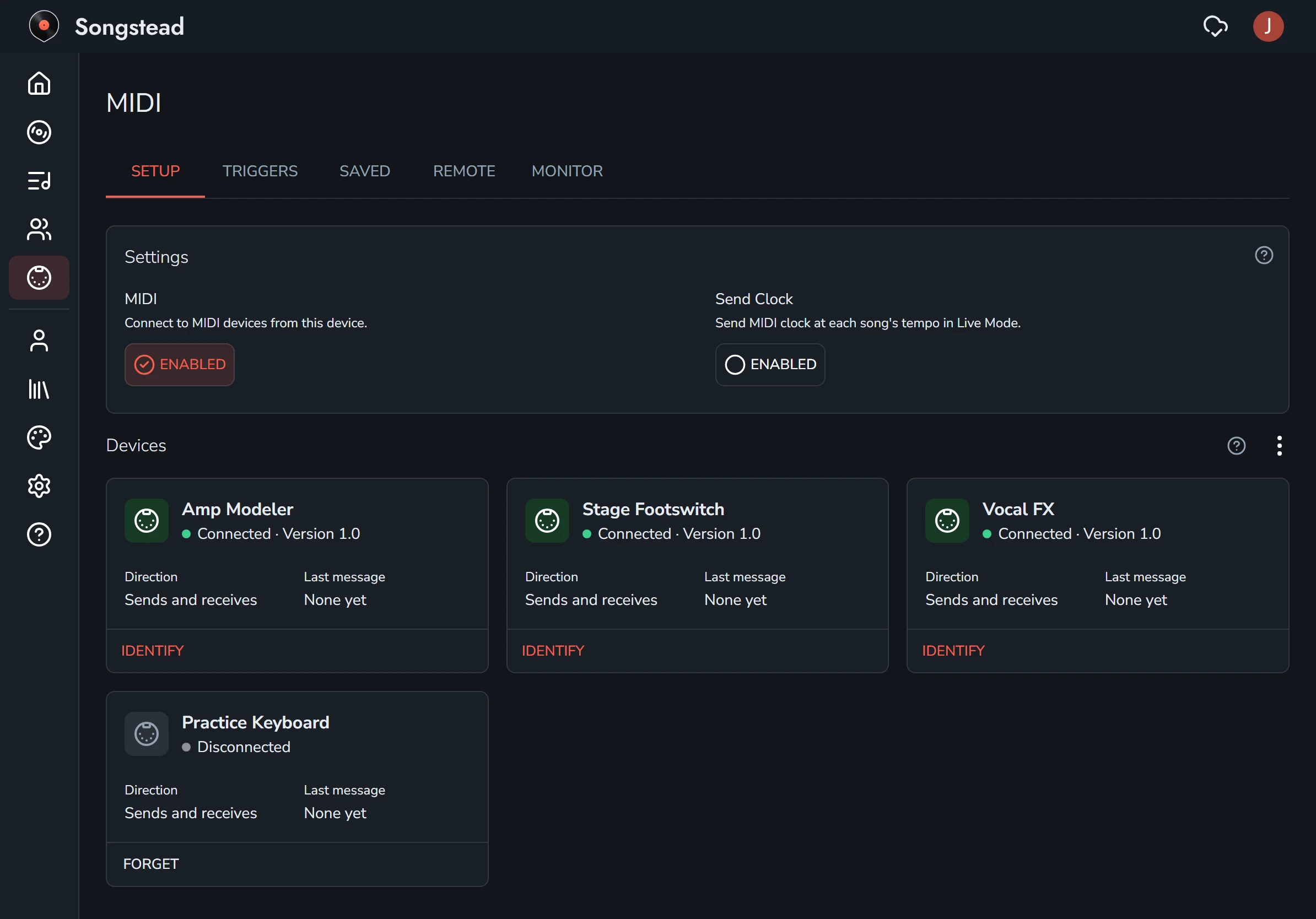
MIDI is turned on separately on each device you use Songstead on. Everything you set up is shared across all of them.
The MIDI page
Everything to do with MIDI is on the MIDI page.
| Tab | What it's for |
|---|---|
| Setup | Turning MIDI on, sending clock, and your devices. See MIDI devices and settings. |
| Triggers | Inbound triggers, where a MIDI command makes Songstead do something, and Outbound triggers, where something in Songstead sends MIDI commands. |
| Saved | Saved commands: named lists of MIDI commands you can use in any trigger or remote. See MIDI commands. |
| Remote | Your remotes of buttons, toggles and faders. See MIDI Remote. |
| Monitor | Every MIDI message in and out. See MIDI Monitor. |
Words you'll see
| Word | What it means |
|---|---|
| MIDI command | One MIDI message, like a Program Change or a Control Change, with its channel, number and value. |
| Custom command | The commands one trigger or remote control sends, set up right there and used by nothing else. |
| Saved command | A named list of MIDI commands, like "Clean tone", that you set up once and pick anywhere. Changing it changes it everywhere it's used. |
| Inbound trigger | A MIDI command arriving from a device, and what Songstead does when it arrives. |
| Outbound trigger | Something happening in Songstead, like a song starting in Live Mode, and the MIDI commands it sends. |
| Remote | Pages of buttons, toggles and faders you arrange yourself. |
Your setup is your own
Your MIDI setup belongs to you, even on songs you share with a group. Two people in a band can play the same song with different patches.