
Docs / MIDI
MIDI commands
Whatever Songstead sends to your devices is a list of MIDI commands, sent in order. You build the list once, and an outbound trigger, a remote control, or an inbound trigger's Send MIDI Command action sends it.
MIDI needs Backstage.
Requires Backstage
Custom and saved commands
Wherever you choose what to send, there are two tabs:
- Custom is a list of commands that belongs to that one trigger or control. Select Edit Custom Command to build it.
- Saved picks a saved command by name. Select Edit Saved Command to change it, or Create New to make one without leaving the trigger.
A saved command lets you describe a patch once and send it from as many songs and buttons as you like. Changing a saved command changes it everywhere it's used.
The Saved tab
The Saved tab on the MIDI page lists your saved commands.
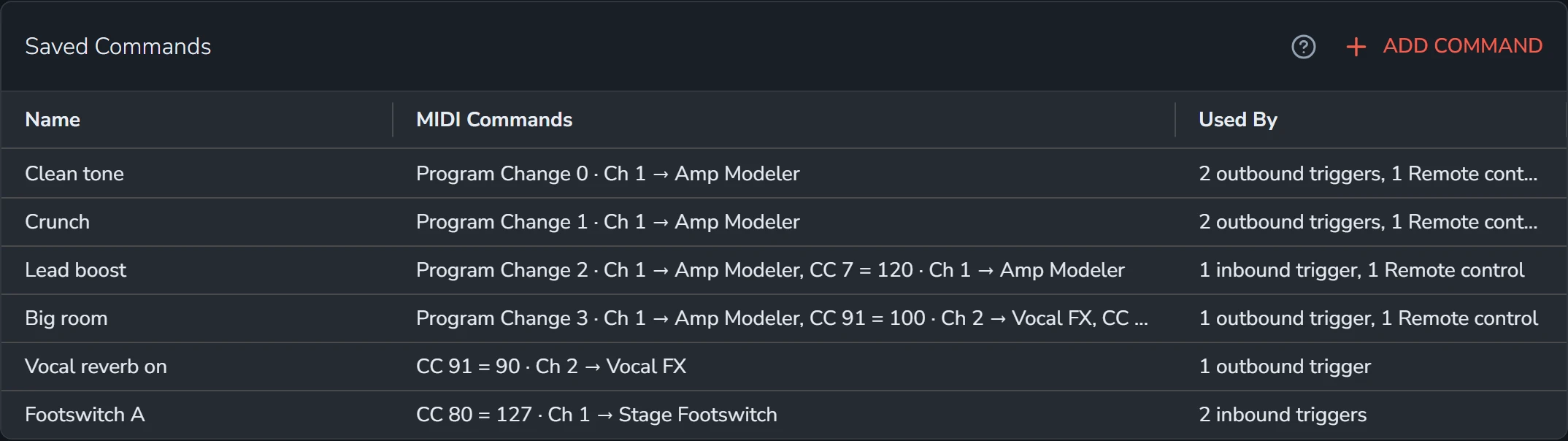
Select Add Command to make a saved command, or select a row to edit one.
To delete a saved command, open it and select Delete, then Yes, Delete. You can only delete one that nothing uses.
Build the list
- Select Add Command. The command's fields open under the list.
- Choose the kind of Command, then fill in the rest of its fields, or select Listen and send it from your device.
- Select Add.
- Add more commands the same way. Drag a row by its grip to change the order.
- Select Save, or Add for a new saved command.
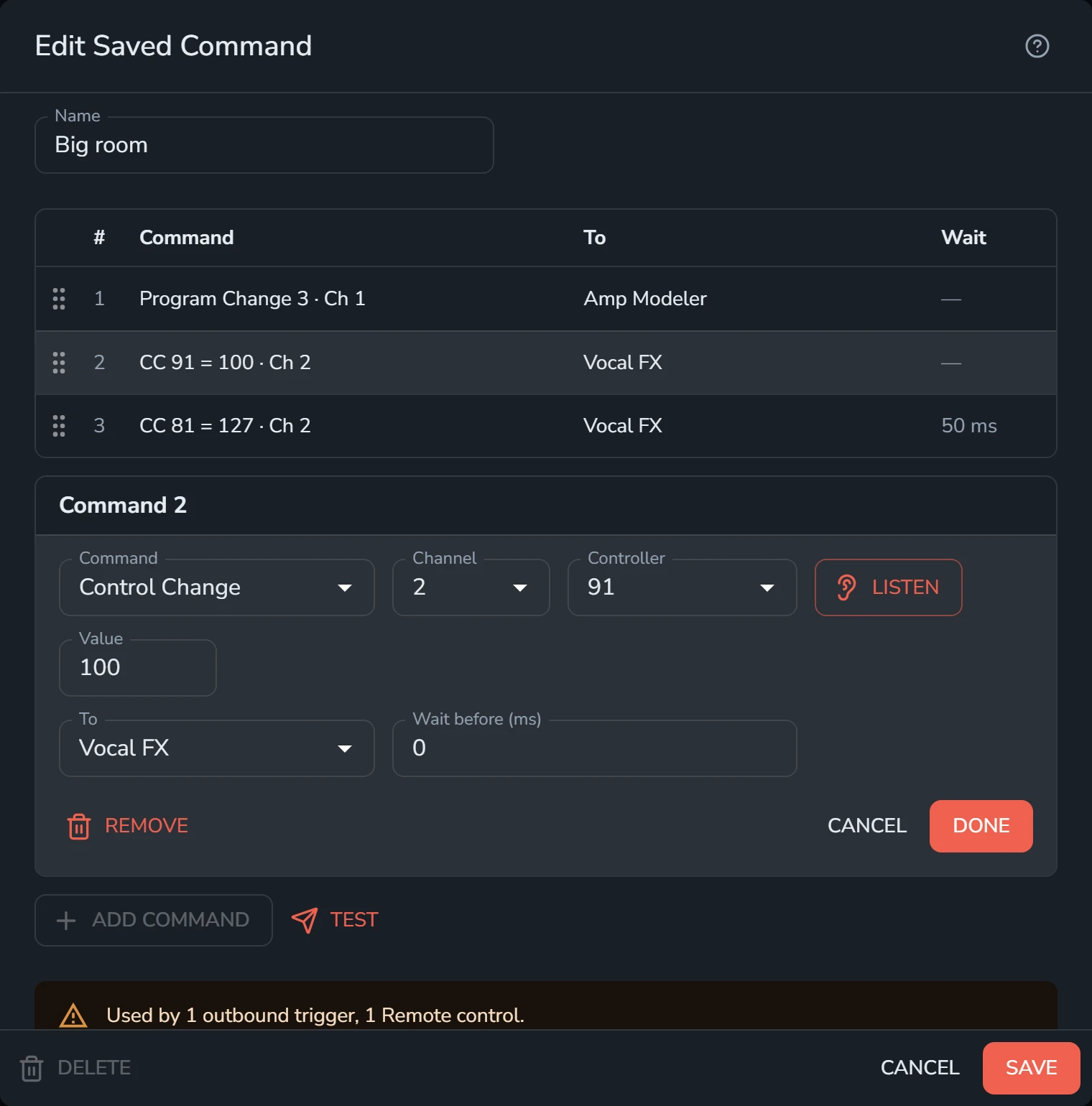
Select a command in the list to change or remove it. Test sends the whole list straight away, so you can hear the result before you save.
A command's fields
| Field | What it's for |
|---|---|
| Command | The kind of MIDI command. See the table below. |
| Channel | The MIDI channel, 1 to 16. |
| Note, Controller, Program or Song | The number the command carries, 0 to 127. You can type a note by its name, like C4. |
| Velocity, Value or Bend | How hard a note is played, what a controller is set to (0 to 127), or how far a Pitch Bend goes (−8192 to 8191). |
| Bank MSB, Bank LSB | For a Program Change, an optional bank, sent as Control Change 0 and Control Change 32 before the Program Change. |
| Hex | For Raw Bytes, the bytes to send, written in hex, like F0 7E 7F 06 01 F7. They must be whole MIDI messages: a status byte, then its data bytes. |
| To | The device it goes to, or All devices. |
| Wait before (ms) | How long to wait, in milliseconds, before sending this command. |
Numbers start from 0, the way they're sent. Many devices count programs from 1, so a patch your device calls 1 is usually Program 0 here. Channels count from 1.
Kinds of command
| Command | What it sends |
|---|---|
| Note On | A note starting, with its velocity. |
| Note Off | A note ending. |
| Control Change | A controller set to a value: an effect on or off, a volume, an expression pedal's position. |
| Program Change | A patch, preset or scene change. |
| Pitch Bend | The pitch wheel's position. |
| Song Select | A song number, for sequencers and drum machines that store songs. |
| Start | Starts a sequencer or drum machine from the top. |
| Continue | Starts it again from where it stopped. |
| Stop | Stops it. |
| Raw Bytes | Any bytes you type, such as System Exclusive messages. |
Listen
Listen fills in a command's fields from the next message one of your devices sends. Pick a patch on your keyboard or press a switch, and Songstead fills in the kind, channel, number and value. It's the surest way to get the channel and number right.
Where commands go
To sends a command to one device, or to All devices.
- A command for one device only goes to that device, even when several devices share a channel.
- If that device isn't connected, Songstead tells you the command failed to send.
- A command for All devices with nothing connected isn't sent, so you can practice without your rig.