
Docs / MIDI
MIDI Monitor
The Monitor tab on the MIDI page shows every MIDI message Songstead sends and receives, and what came of each one. It's the quickest way to check that a device is talking to Songstead and that a trigger does what you meant.
MIDI needs Backstage.
Requires Backstage
What each row shows
Each row is one thing happening, newest first: a message arriving, or something in Songstead sending messages out.
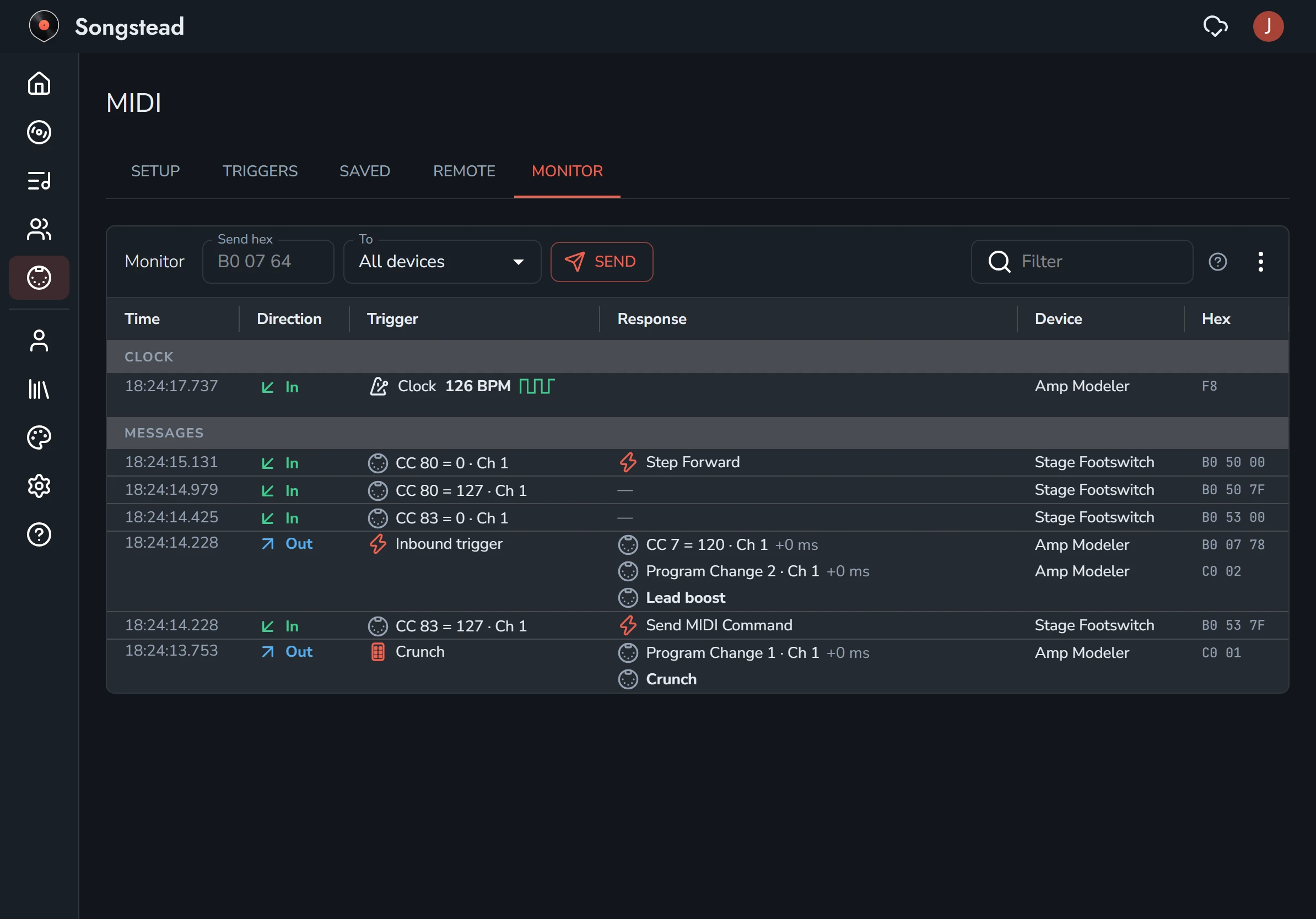
| Column | What it shows |
|---|---|
| Time | When it happened. |
| Direction | In for a message from a device, Out for messages Songstead sent, and Action for something else Songstead did. |
| Trigger | What set it off: the message that came in, or what happened in Songstead, like a song starting or a remote control. |
| Response | What came of it: the actions Songstead took, or the messages it sent. A dash means nothing came of it. |
| Device | The device the message came from or went to. |
| Hex | The message's bytes in hex. |
A message that couldn't be sent says Not sent, with the reason.
Clock and active sensing
MIDI clock and active sensing arrive many times a second, so they get one row per device, in a section of their own at the top. A clock's row shows its tempo.
Filter
Type in Filter to show only the rows with the words you type.
Send a message by hand
The row at the top of the Monitor sends any bytes you like:
- Type the bytes in hex in Send hex, like
B0 07 64. - Choose where it goes under To, or leave it on All devices.
- Select Send.
The Monitor's menu
The menu (the three dots) at the top right of the Monitor has:
| Menu item | What it does |
|---|---|
| Pop Out | Opens the Monitor in a window of its own, so you can watch it beside a song or another program. On a computer only. |
| Clear | Empties the Monitor. |
| Panic | Silences every device: All Notes Off, All Sound Off and Reset All Controllers on all 16 channels. Use it for a stuck note. |