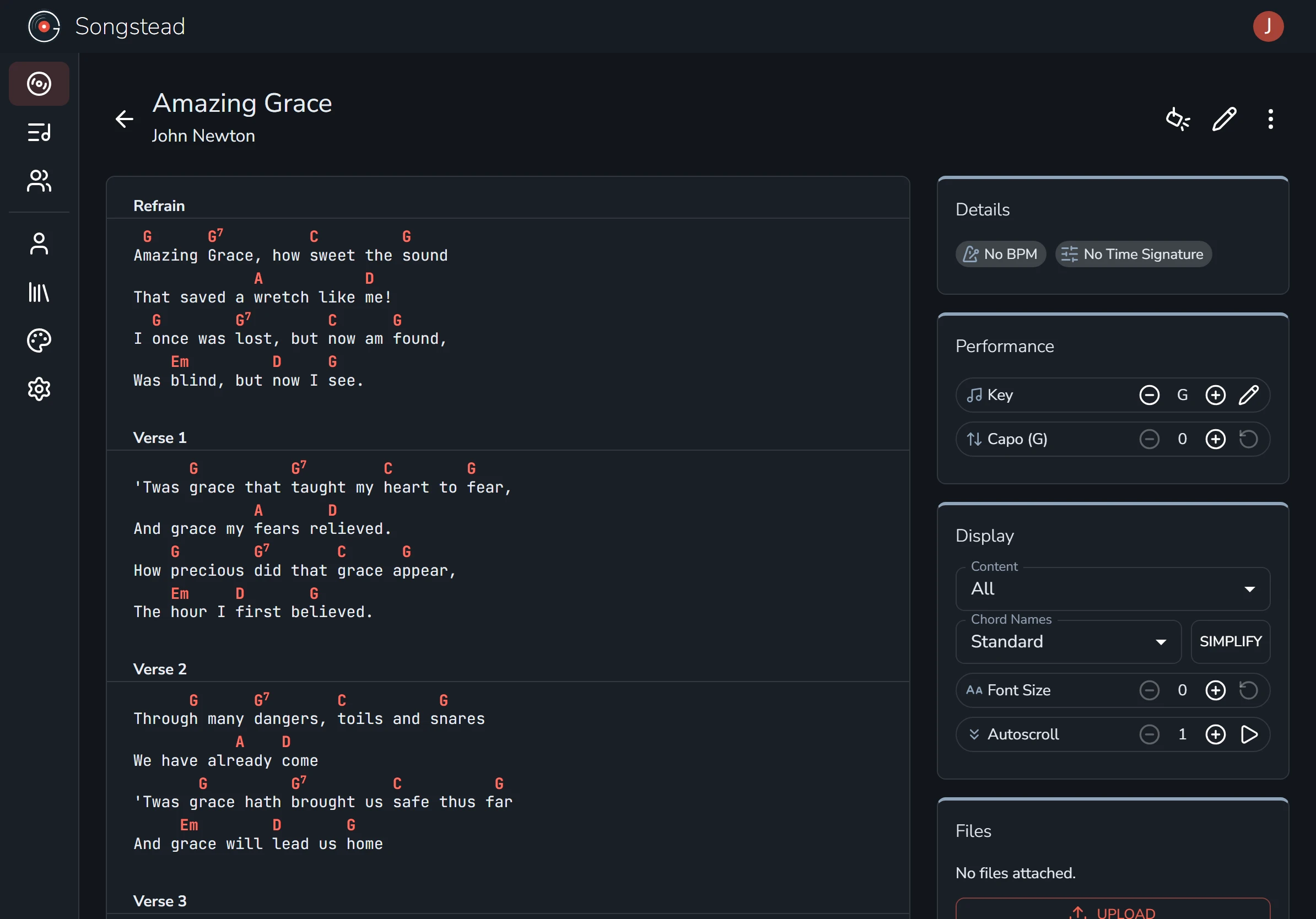
← All help
Import from Ultimate Guitar
Importing a song from Ultimate Guitar is easy! Copy the chart, paste it into a new song, and it's ready to play.
Open the editor
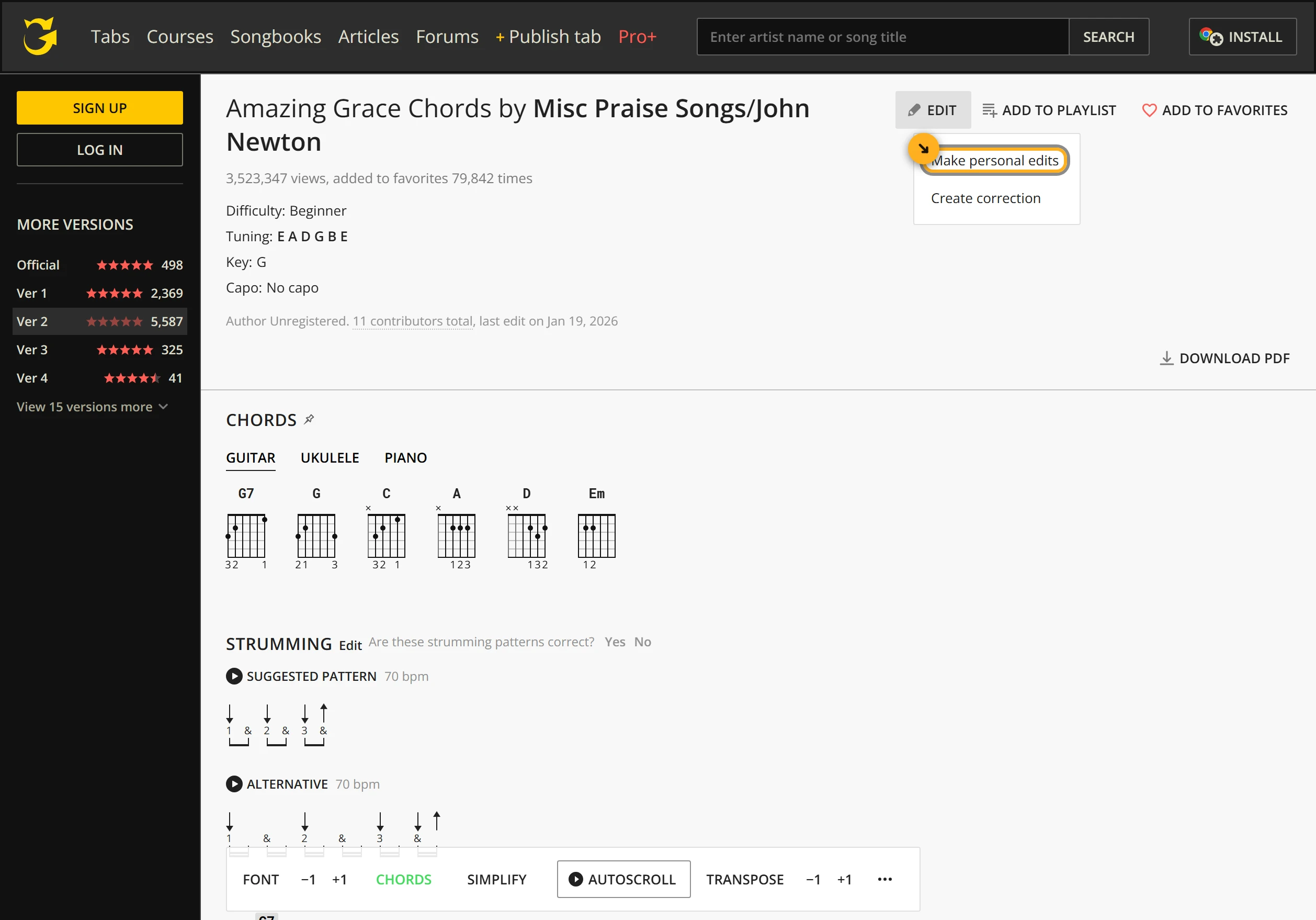
Find your song on Ultimate Guitar and open the version you want to play. Select Edit, then Make personal edits. In the Ultimate Guitar mobile app, select the unlabeled pencil icon instead. That gives you the chart as plain text, without the rest of the page around it.
Copy the chart
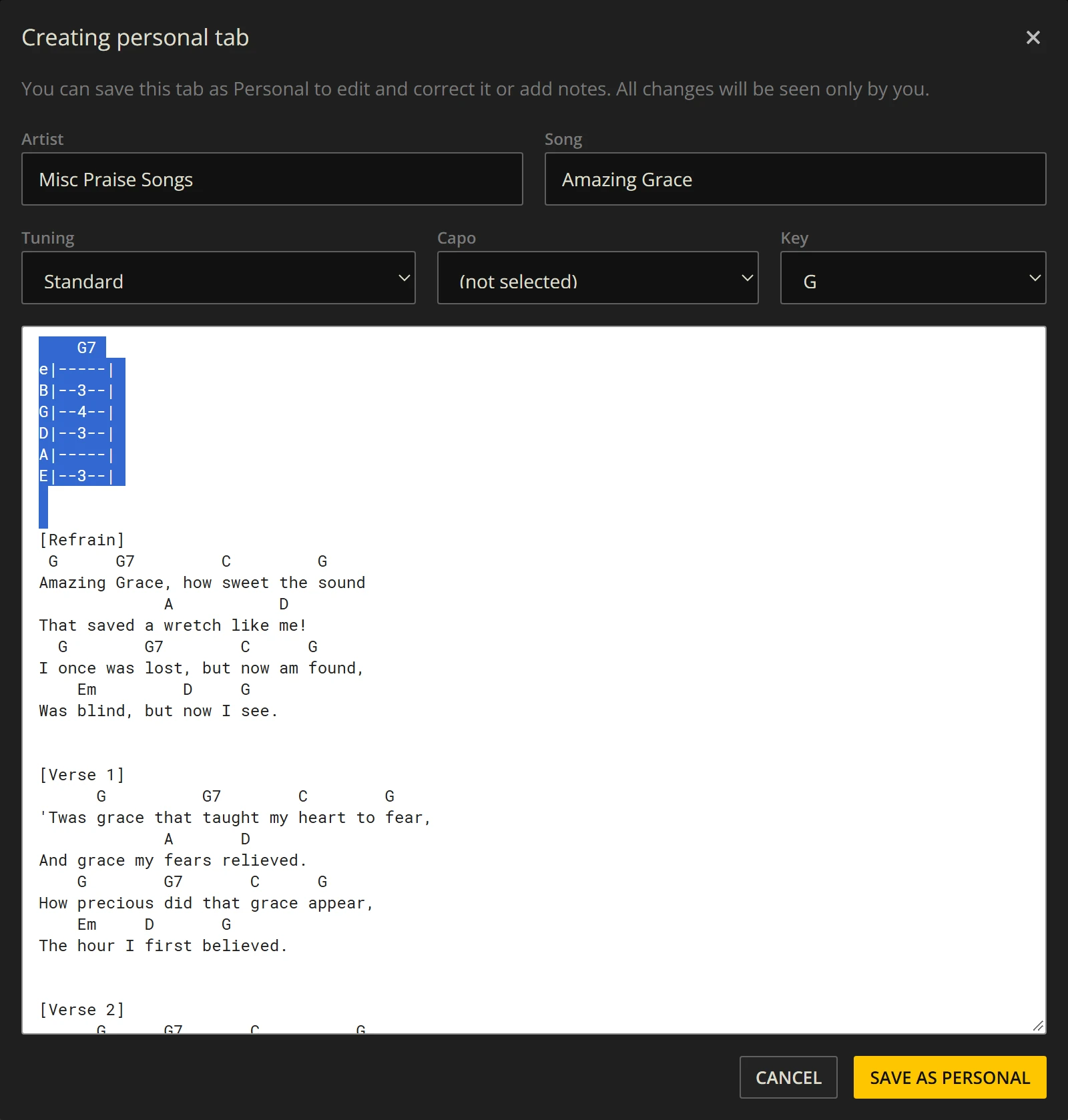
Delete anything you don't need, such as tab or notes at the top. Then select all of the text and copy it.
You don't need to save your changes on Ultimate Guitar.
Paste it in
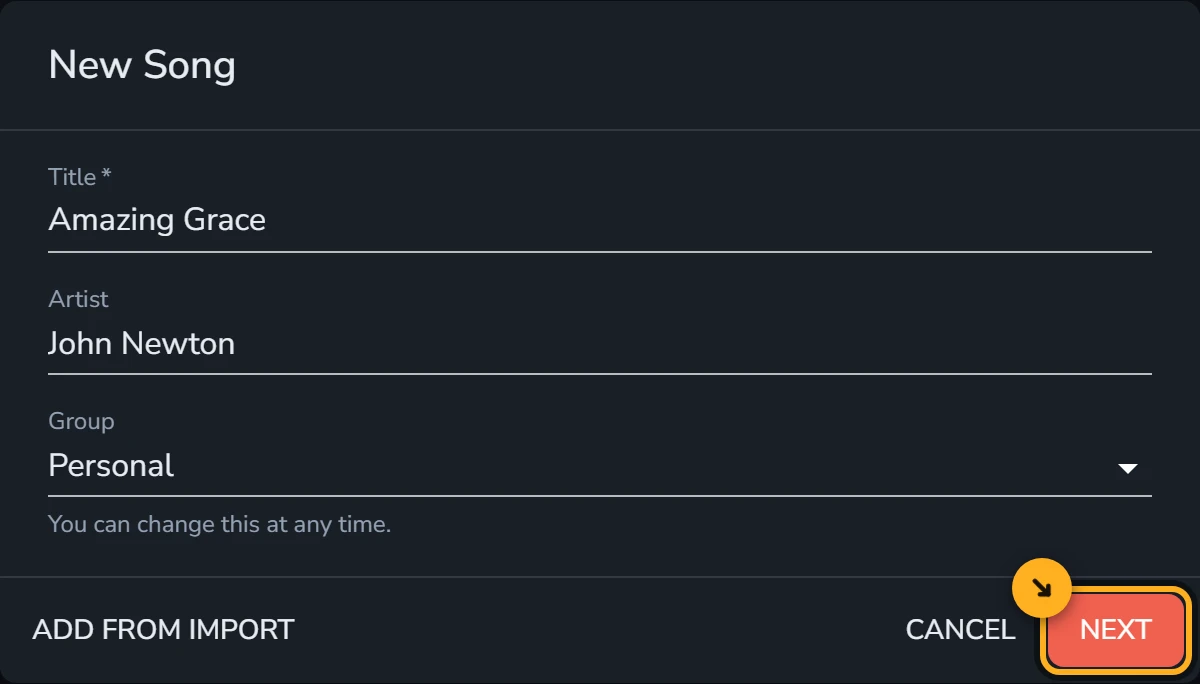
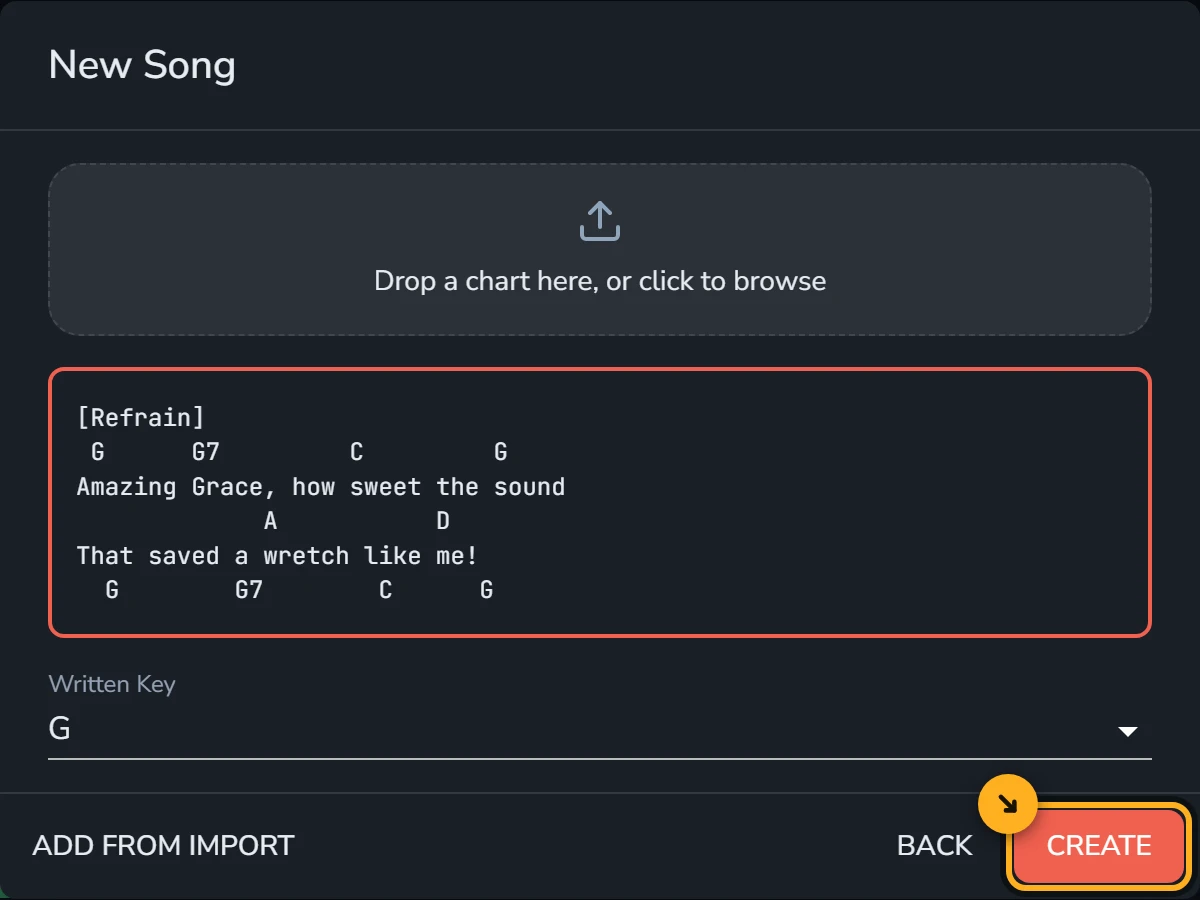
Paste the chart into the box. Songstead reads the chords and fills in the key for you. Select Create to save the song and open it.
You're done!
It's just that easy. Your song is now in your library and ready to play.