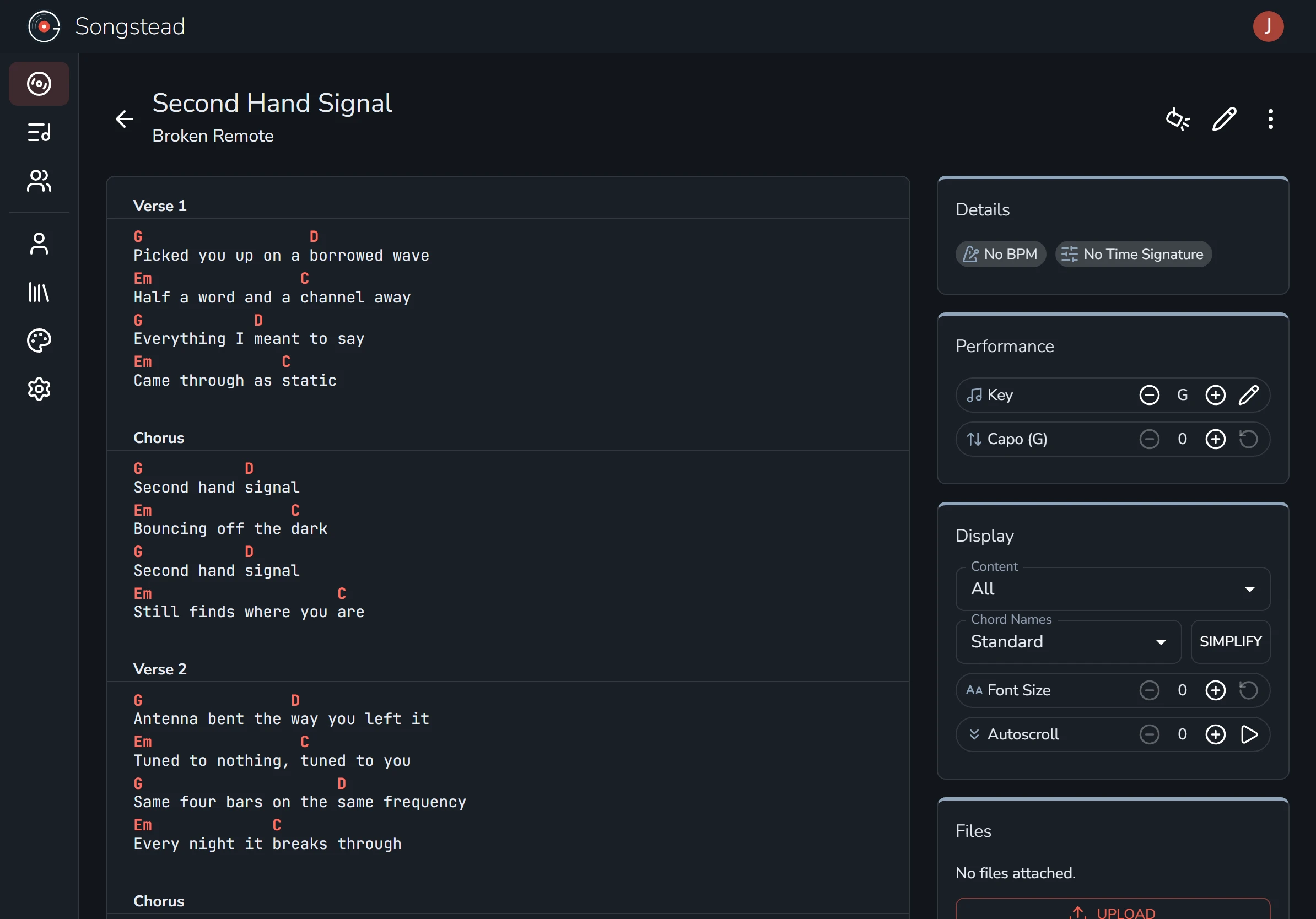
Create a song
Creating a song is easy! A few quick steps and it's in your library, ready to play.
Before you start
If your songs are already in another app, don't type them all in again. Import them and the whole library comes over at once.
Start a new song
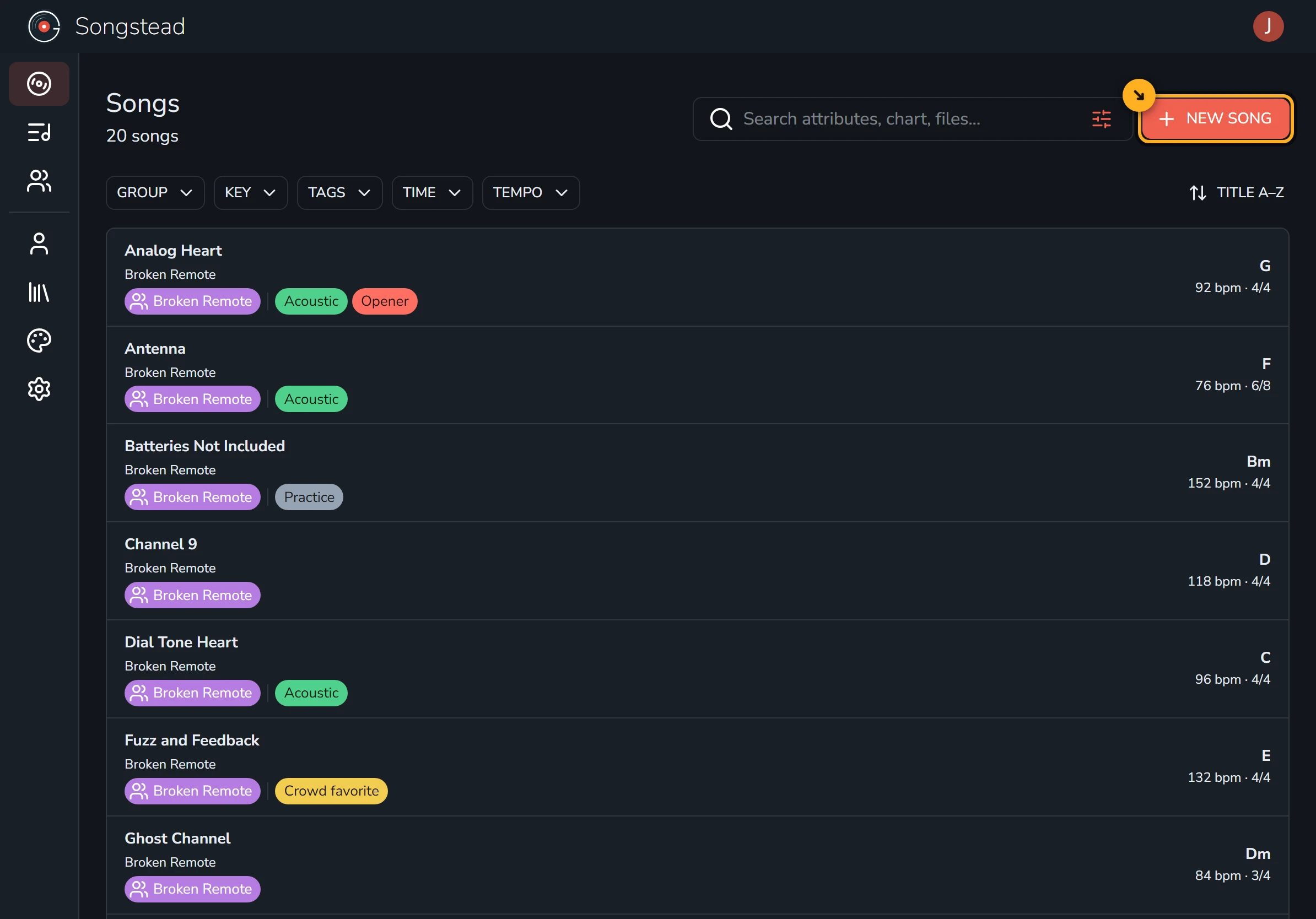
Open Songs and select New Song.
Name it
Give your song a title so you can find it later. When adding artist, Songstead will suggest ones you already have in your library. Select Next when the details are right.
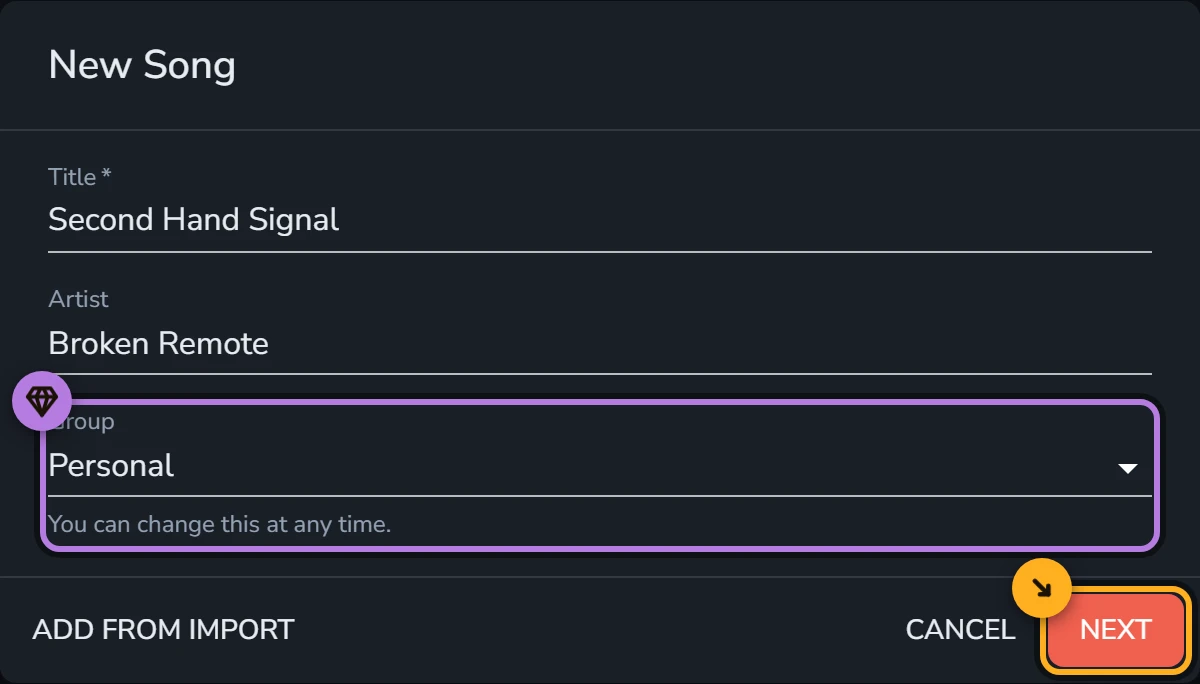
If you play with other people, you can put the song straight into a group's library so everyone has it from the moment you save.
Requires Harmony
Add the chart
Now paste in your chart. Songstead understands both chords-over-lyrics and ChordPro, so you can copy from Ultimate Guitar or most other websites.
Songstead reads the chords as you paste and fills in the key for you.
Select Create, and your song is saved and opened.
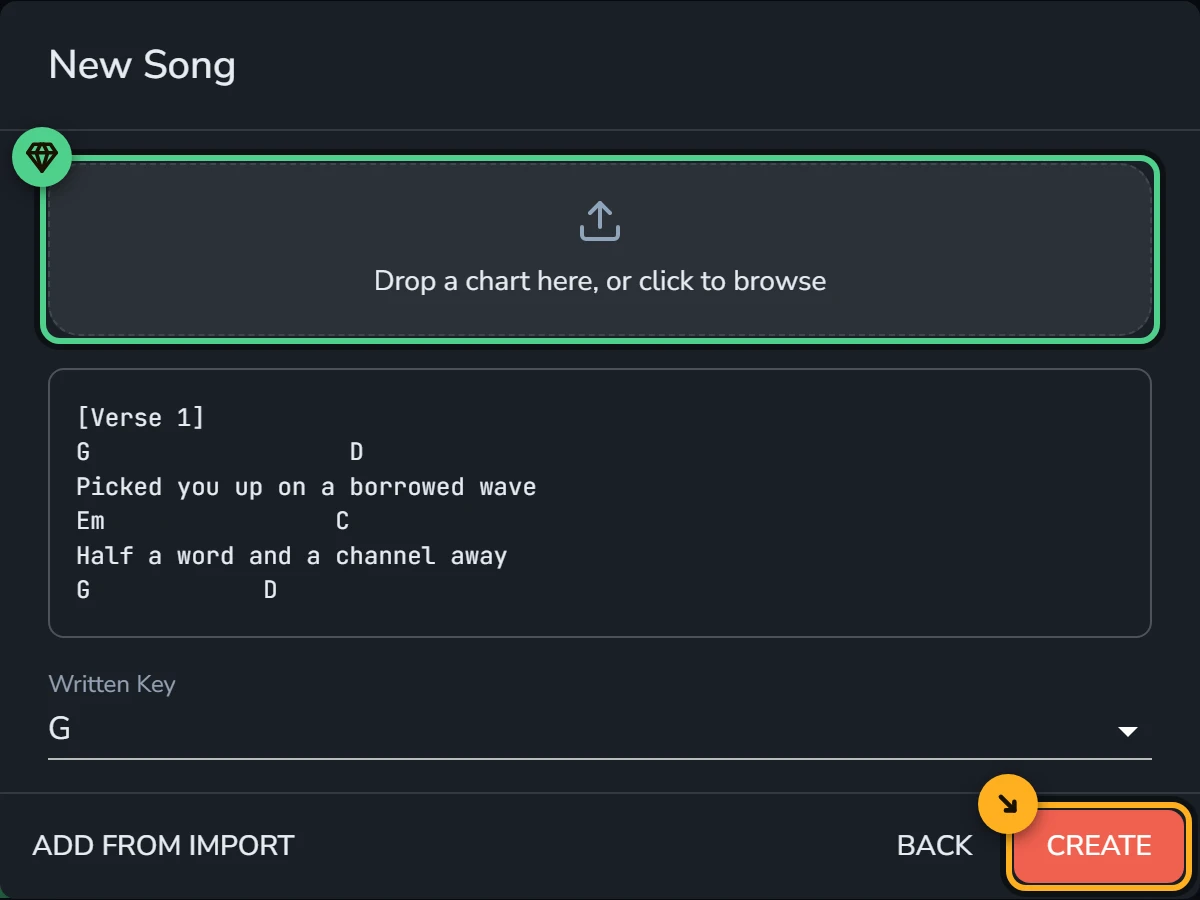
If what you have is a PDF, a scan or a photo, drop that in above the chart box and play straight from it.
Requires Backstage
You're done!
It's just that easy. Edit any of these settings at any time to make changes to your song.