
Use autoscroll
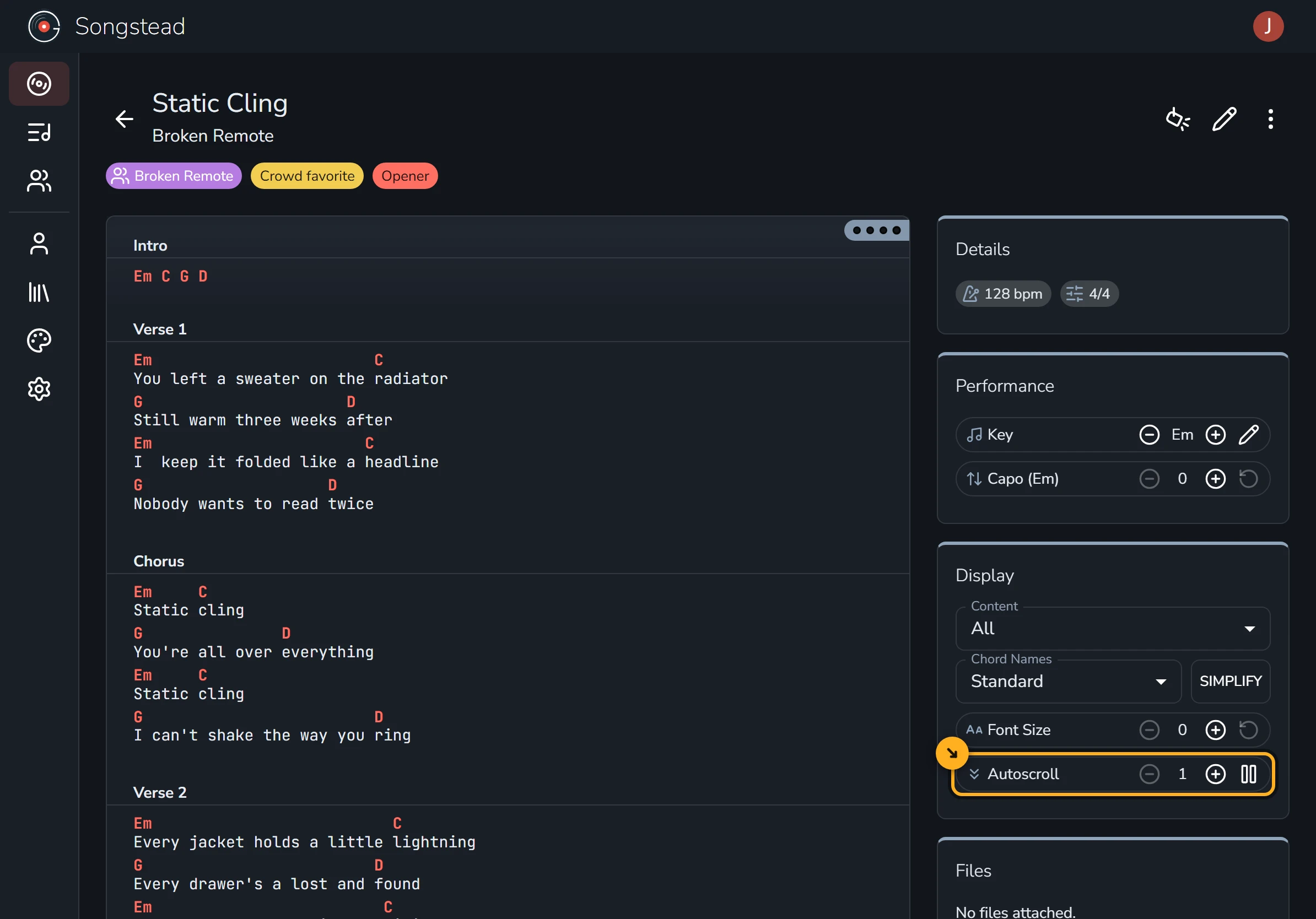
Autoscroll turns the page for you! Start it, set the speed, and keep both hands on your instrument.
Start autoscroll
Open a song and select the play button next to Autoscroll. The shaded band shows where you are. Change the speed until it keeps up with you.
If you fall behind, scroll back up and autoscroll picks up from there.
Scroll in time with the song
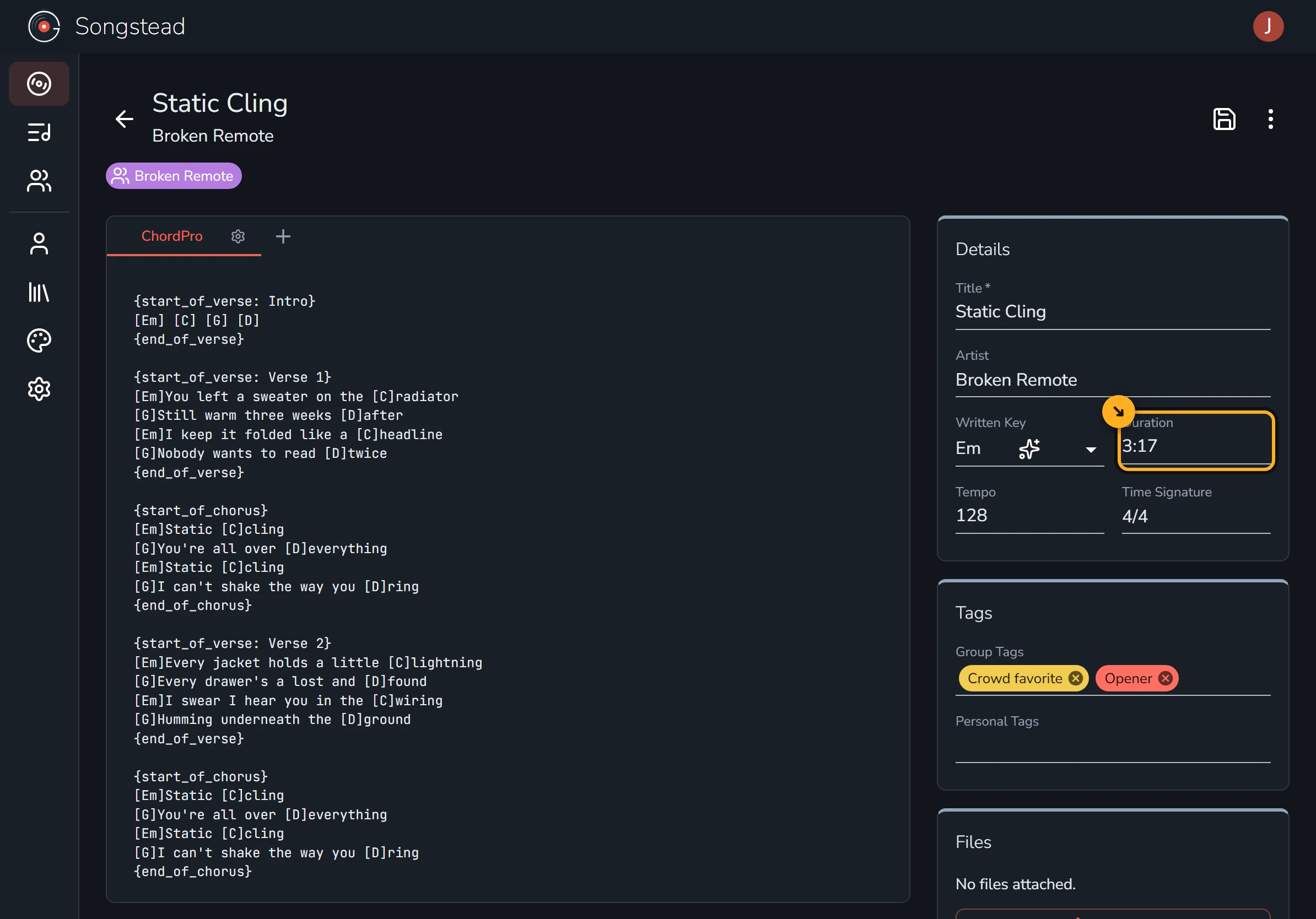
If you know how long the song is, select the pencil to edit it and type the length into Duration. The chart will finish scrolling right when the song does.
Use it in Live Mode
Live Mode shows your chart full screen for playing on stage.
Requires Backstage
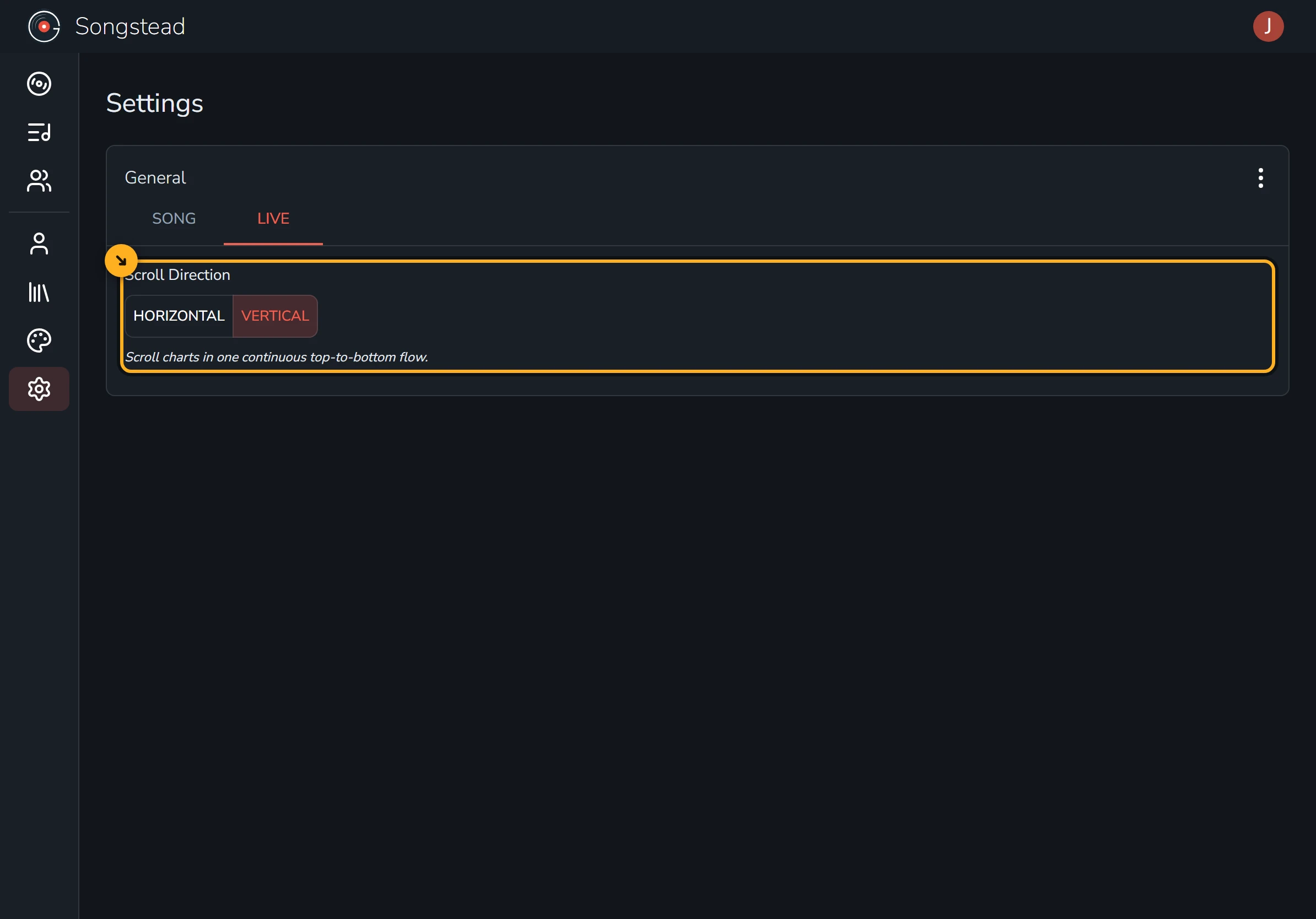
Autoscroll only works in Live Mode when it scrolls vertically. Go to Settings, open the Live tab, and set Scroll Direction to Vertical.
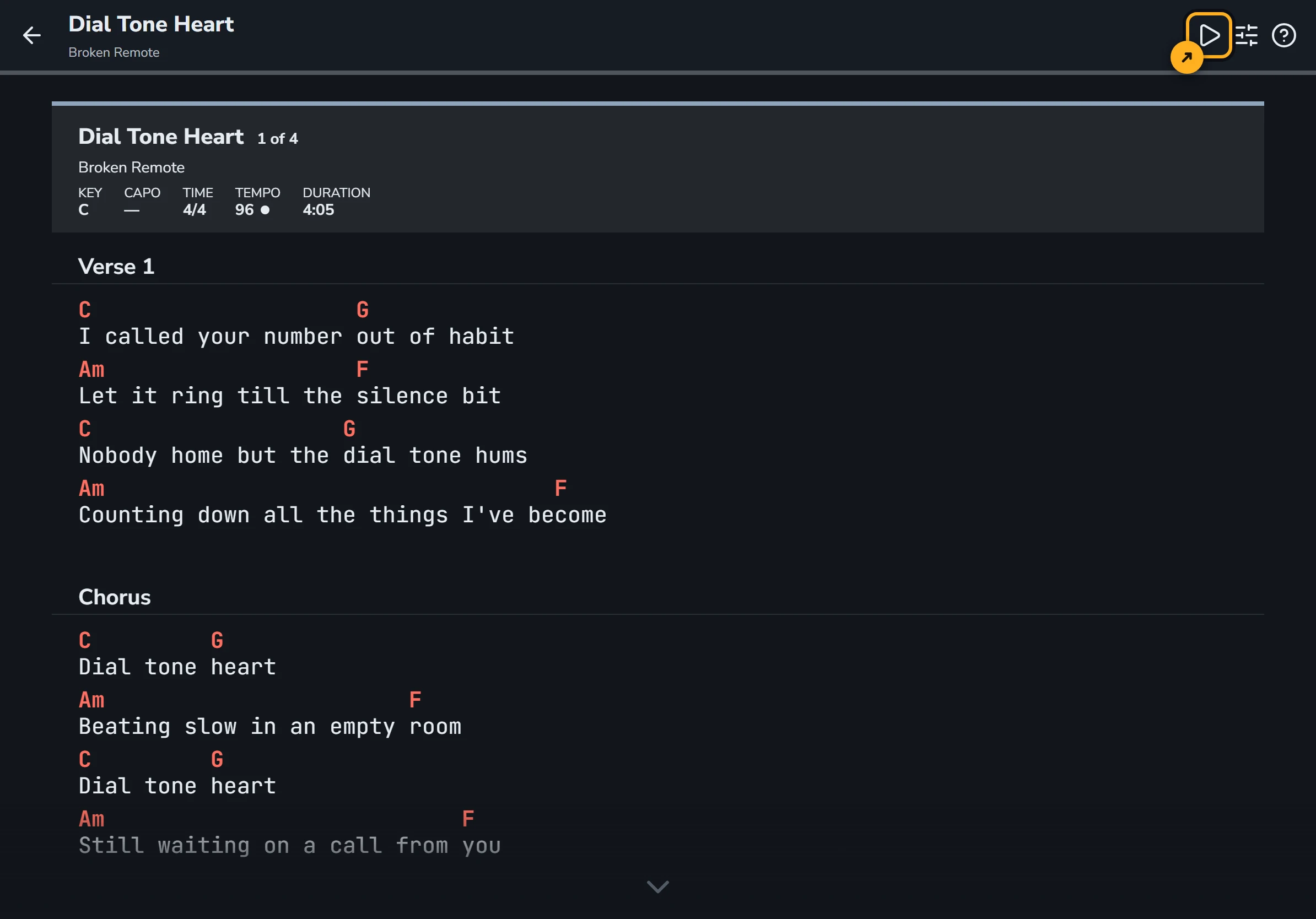
Then open Live Mode and select the play button at the top. If you're playing a set, autoscroll rolls right into the next song.
You're done!
That's all there is to it. No more reaching for the screen in the middle of a song.